Visitor report
A visitor sends one problem or suggestion from the website.

Website report investigation
Give visitors a short report form. Review safe browser evidence, source citations, unknown facts, and one recommended action before you respond or change production.
No card. One website. Three investigations each month.
01 Fixed evidence limits
Website settings can disable a category. They cannot add fields or enable private browser-state values.
Approved screenshotThe visitor starts the capture, sees a preview, and approves inclusion.
Console errorsOnly bounded errors and warnings pass through a second redaction step.
Request metadataFailed or slow requests include a method, safe path, status, duration, and time.
Browser-state metadataCookies, forms, and local storage include a name, presence state, and size. Values never enter the report.

02 Human review
IssueProbe prepares one draft response and one recommended action. The website owner edits, approves, and decides what reaches a visitor or production.
Separate result partsEvidence citations, the conclusion, unknown facts, and the next action stay distinct.
Exact source citationsEach source claim names the registered repository revision, path, and line range.
No visitor messageIssueProbe never sends the draft. A human copies it after review.

The widget a visitor sees
These are real captures of the widget on a website. A visitor opens the launcher, describes the problem, reads exactly what the report carries, and then sends it.
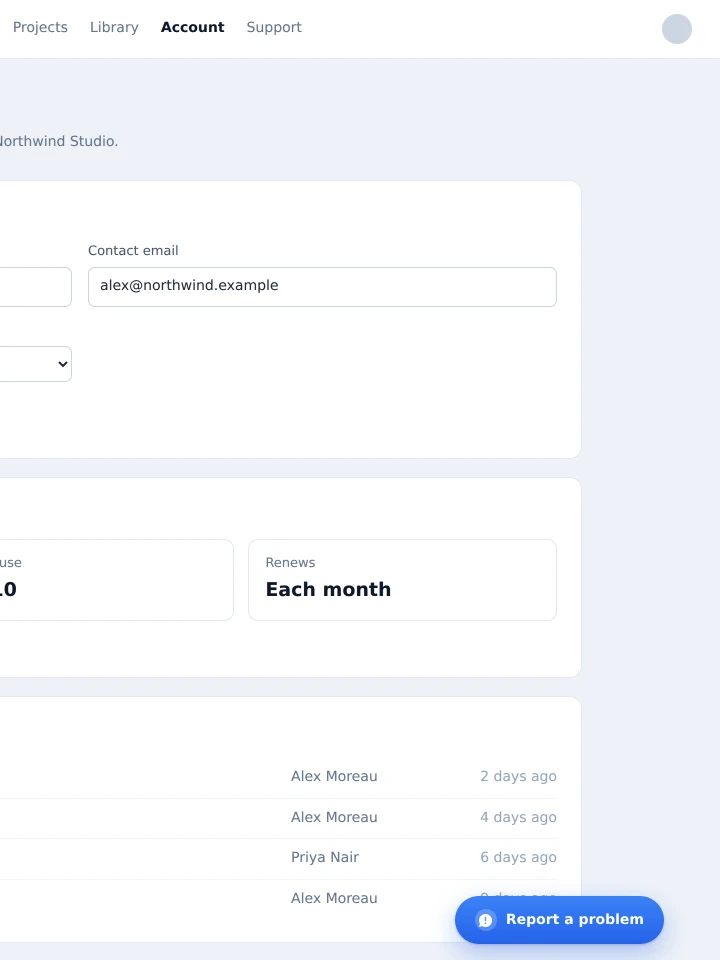
One small button sits on the website. The visitor selects it to start a report.
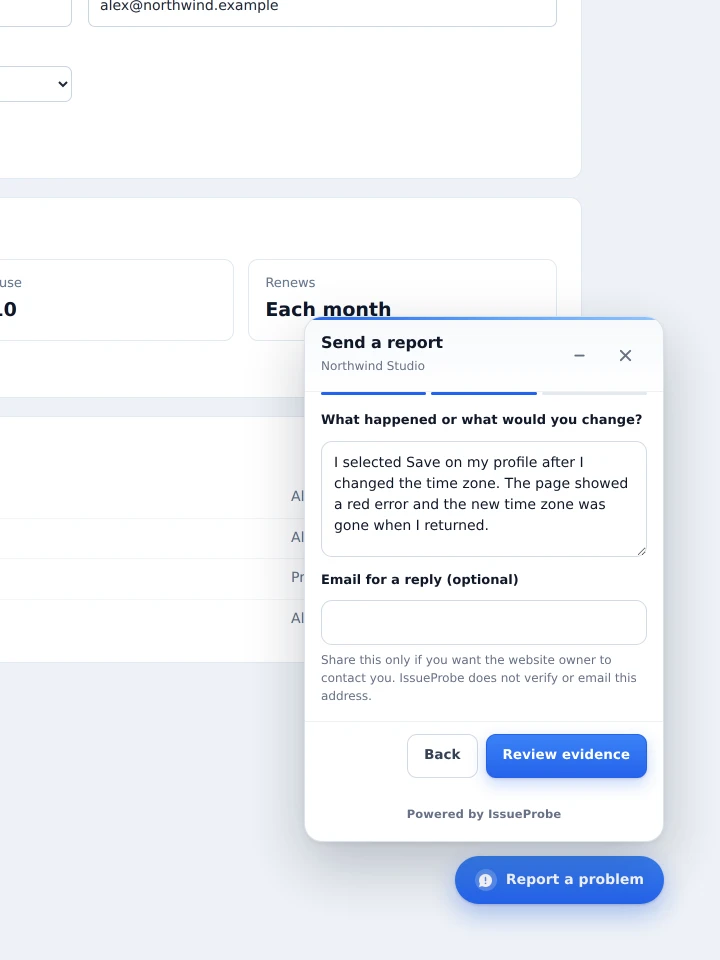
The visitor writes what happened. A reply email address stays optional.
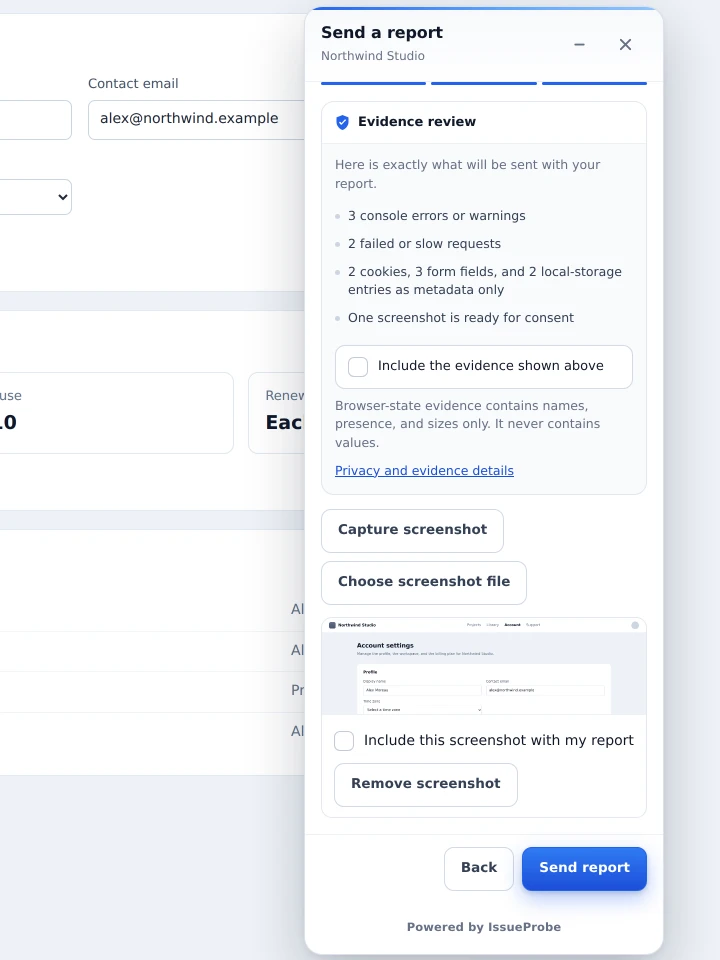
The visitor reads each evidence category and approves the screenshot before the report leaves the browser.
From incomplete report to clear review
IssueProbe keeps the visitor form small. It combines the report with fixed safe evidence and the registered website source.
A visitor sends one problem or suggestion from the website.
The widget includes only approved bounded evidence categories.
IssueProbe checks the exact registered repository revision.
The result separates citations, conclusion, unknown facts, and action.
The owner edits the draft and approves each response or production action.
I selected Save on my profile, but the page showed an error.
POST /api/profile returned 500 in 412 ms.
src/routes/profile.ts:118–124
The active save path likely uses an absent time-zone field without a safe branch.
The number of affected profiles is not known.
Review the cited branch and add a focused regression test.
Read-only repository setup
IssueProbe creates one SSH deploy key for each website and returns only the public key. Add it to the registered repository with read-only access.
What the connection cannot do
The key cannot push a commit, create a release, or run a repository script.
Each website uses a separate key. Rotating one website does not affect another.
Source access verifies the complete repository host fingerprint first.
Each investigation reads the revision registered when it entered the queue.
Setup sequence
Complete each step once for a website. The dashboard and the account API follow the same order.
Add the exact website origin and the SSH repository location.
Grant read-only repository access to the website-specific key.
Confirm the origin, repository branch, revision, and widget installation.
Prove the complete website-to-review flow before wider use.
Human and agent paths
A founder can complete setup in the dashboard. An authorized software agent can complete the matching API flow after explicit owner approval.
Create a Free account, register a website, add the public deploy key, install the widget, and review reports.
Request owner authorization, preserve the exchange secret, use narrow scopes, and record every action in account activity.
Have your agent do it
Each prompt points at a Markdown document written for an agent to fetch and follow. Both state plainly that you, the owner, must approve access by email before the agent can continue.
Evaluate https://issueprobe.com for my project. Fetch and follow:
https://issueprobe.com/evaluate.md
The agent reads the plans, the real limits, and the cases where IssueProbe is the wrong choice, checks them against the live API, and gives you a recommendation.
Integrate https://issueprobe.com into this project. Fetch and follow:
https://issueprobe.com/integrate.md
The agent requests owner authorization, pauses for you to approve the email, then registers the website, verifies the origin, installs the widget, and sends one test report.
Both documents are plain Markdown you can read yourself: evaluate.md and integrate.md. An agent cannot create an account without your approval.
Simple first plans
Free
Pro
A report that exceeds the monthly investigation limit remains stored.
Common questions
No. IssueProbe prepares a draft response for the website owner. A human reviews and copies it.
No. Cookies, form fields, and local storage use names, presence states, and sizes only.
No. Each website uses a separate read-only SSH deploy key. The first release does not push a change or run repository scripts.
The visitor report remains stored. IssueProbe marks it as stored without an investigation.
Yes. The agent requests owner authorization, exchanges one approved secret, and uses narrow API scopes.
Install the first site by hand and use real reports to select the next change.